Resources

Github

Git is a version-control tool that helps you manage code changes over time and collaborate reliably. A repository in git parlance is a version-controlled, shared, public or private folder. We will use GitHub repositories to release each MP’s starter code.

Getting started with Github Org for ECE484

You will have to do Steps 1-4 at most once to setup your account and SSH key.

Step 1 Create a Github account with your Illinois email address. Skip this step if you already have one.

Step 2 Once signed in, navigate to the ECE484 Students organization and accept our invite to join our organization. It should be in a yellow box. You may have also received an email where you can join the organization. Welcome onboard!

Step 3 Once you join the ECE484 Students organization, navigate to the Repositories tab where you will be able to view the MP0 release repo with your starter code called fa26-mp0-release.

Step 4 To securely clone the release repo and to upload code to your submission repo, you will need to set up an SSH key. Follow these steps

a. In a terminal on your computer run

```ssh-keygen -t ed25519 -C "YOUR_NETID@illinois.edu"```

b. Hit Enter 3 times (the defaults are OK)

c. Retrieve your public key

```cat /home/$USER/.ssh/id_ed25519.pub```

It should look something like ssh-ed25519 YOUR_KEY YOUR_NETID@illinois.edu. Copy this to clipboard.

d. On github.com click on your profile picture in the top right to open a drop down menu and select Settings.

e. On the left hand side of the page click on SSH and GPG keys under the Access tab. Click on New SSH key.

f. Title your key something memorable. E.g. ECE484Key

g. Paste the whole line found in step 4c into the “Key” text box and click Add SSH key.

h. Click on Configure SSO dropdown under your newly added key.

i. Authorize for organization “safeautonomy-illinois-students”.

Now you have an SSH key and you can use it to securely commit and push (save) code to the git repositories. The remaining steps are MP-specific.

MP0:

Step 5 Clone the MP0 release repo

```git clone git@github.com:safeautonomy-illinois-students/fa26-mp0-release.git```

For MP0 only, you’ll submit the code through gradescope.

Information for the rest of the MPs will come soon.

Drone/Aerial

GRAIC

GEM & F1-tenth

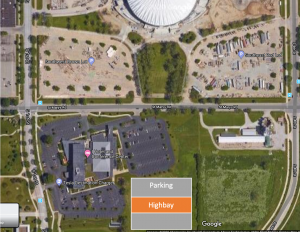
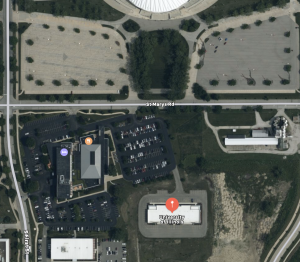
GEM vehicle and testing facilities

Google Maps

Apple Maps

Other courses

Software

Papers and Reference Books

Latex and other templates